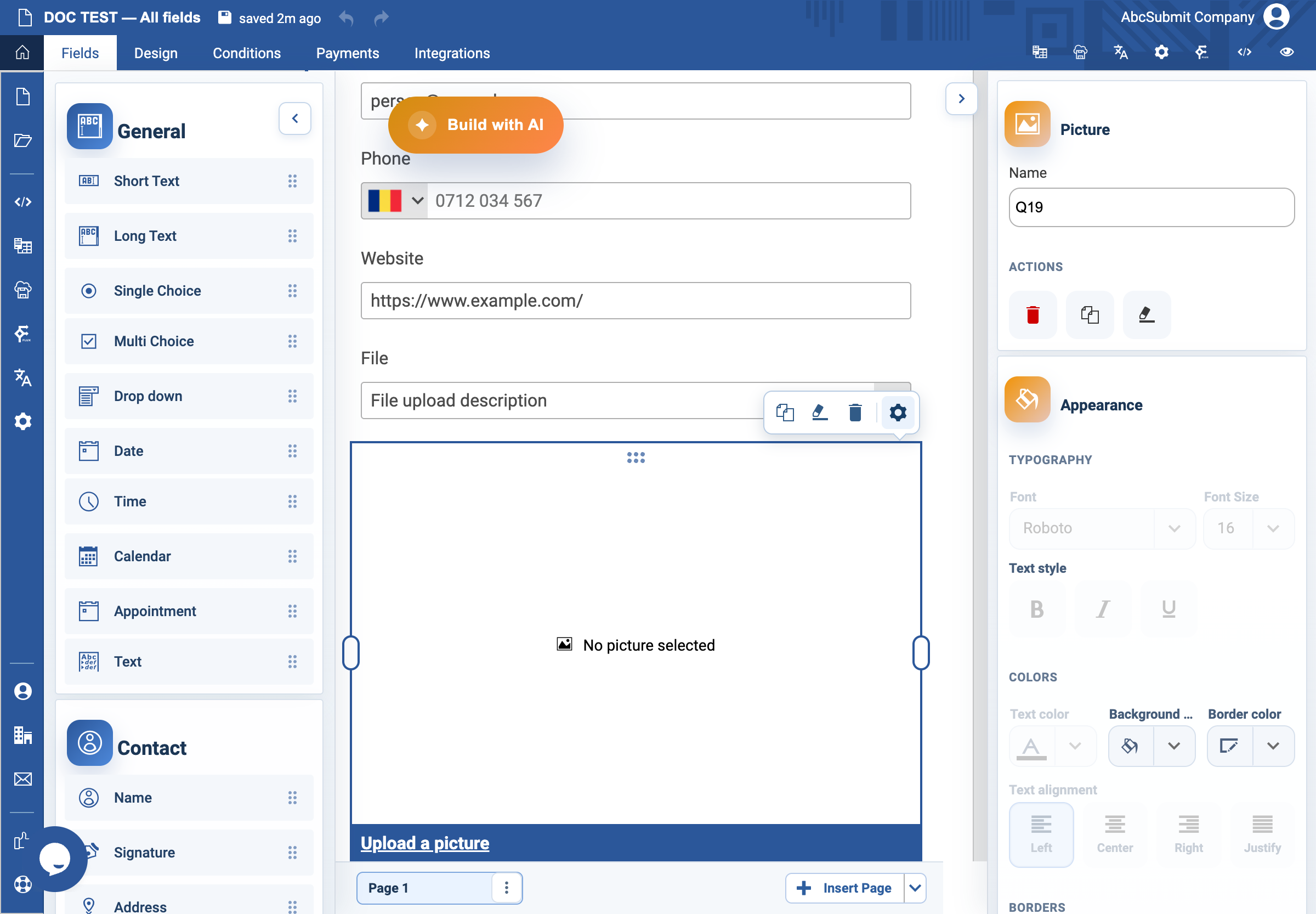
Appearance
Picture field
Use Picture to place a supplied image in a form; it does not collect an image from the respondent.
Example: linked help graphic
- Add or select a Picture field in the form canvas, then open Edit.
- Set Alternate text to a concise description of what the image communicates, such as
Example of the receipt information to include. - Optional: enter an HTTPS help-page address in On click, open URL.
- When a URL is present, choose Open URL frame: Same frame, Blank frame, or Parent frame. Choose Blank frame when the respondent should keep their place in the form.
- Preview the form with images enabled and disabled if possible, then select the image and confirm the target is correct.
Expected result
The image supports the task without being the only source of essential instructions. Its alternate text explains the image’s purpose, and an optional link opens in the chosen frame.