Create online forms and export professional fillable PDFs
Build a branded form, collect the information you need, and create a polished PDF version for sharing, printing, signatures, or recordkeeping—without rebuilding the same document by hand.

One form, two useful experiences
Online forms are ideal for fast data collection on any device. PDFs remain useful when people need a consistent document to download, print, sign, archive, or share. AbcSubmit helps you design the form once and use the right format for each stage of the process.
| Use an online form when… | Use a PDF when… |
|---|---|
| You want a mobile-friendly submission experience. | You need a fixed, print-ready layout. |
| Fields should appear based on previous answers. | A customer or colleague needs a portable copy. |
| Data should move into a database, spreadsheet, or workflow. | The document must be reviewed, signed, or archived. |
| You want validation before the form is submitted. | The same visual format must be preserved. |
Stop recreating documents after every submission
Manual copying creates delays and invites errors. A better process begins with structured fields, clear validation, and a reusable design. The submitted information can then support a PDF document, notifications, approvals, and connected business processes.
If your process also needs searchable records, see how an online form builder with a database keeps submissions organized.
How to create a fillable PDF form with AbcSubmit
You do not need to start with code or manually align dozens of fields. Build the information flow first, test it, and then prepare the PDF output your team needs.
Start
Choose a template or begin with a blank form.
Design
Add fields, sections, instructions, colors, and branding.
Automate
Configure logic, calculations, notifications, and approvals.
Test
Check the form on desktop and mobile, then verify its output.
Export
Create the PDF version for download, printing, or sharing.
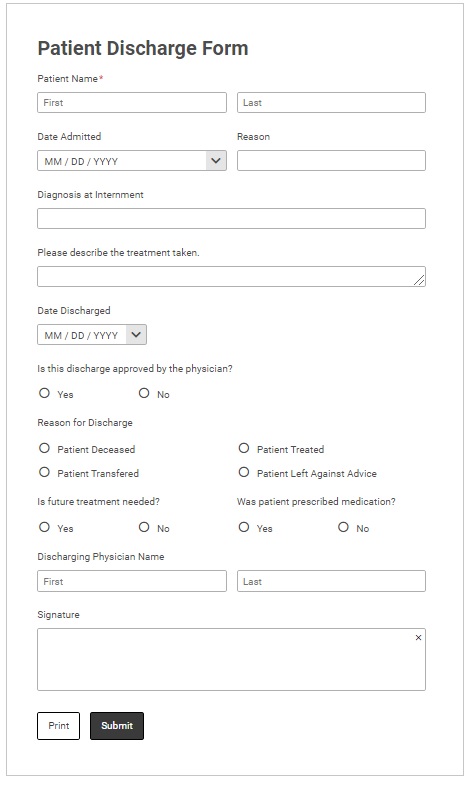

Everything you need around the PDF
The document is only one part of a good process. AbcSubmit combines form creation with practical tools for collecting, routing, and using submitted information.
Visual form builder
Arrange fields with a drag-and-drop editor and create a clear experience without hand-coding the layout.
Conditional logic
Show relevant questions based on earlier answers so people see a shorter, more focused form.
Calculations
Calculate totals, scores, fees, or other values using the information entered into the form.
Electronic signatures
Add signature fields when a process needs acknowledgement, authorization, or approval.
Connected data
Keep submissions organized and connect form data with tools such as Google Sheets, Excel, and other business apps.
Approval workflows
Route a request to the right reviewer, send notifications, and make the next step visible to your team.
For processes that need more than a document, explore multi-step approval workflows and learn how to move submissions from request to decision.
Practical ways teams use online forms and PDFs
A flexible form-to-PDF process works best when the online experience is simple for the submitter and the resulting document is useful to the people who review it.
| Use case | What the online form collects | Why the PDF helps |
|---|---|---|
| Employee onboarding | Contact details, role information, acknowledgements, and uploaded documents. | Creates a consistent record for HR review and filing. |
| Client intake | Requirements, preferences, background details, and consent. | Gives account teams a readable summary before the first meeting. |
| Applications | Applicant data, supporting information, and eligibility answers. | Makes applications easier to review, share, and approve. |
| Inspections and reports | Checklist results, notes, photos, and follow-up actions. | Produces a portable report for customers or internal records. |
| Orders and quotes | Selected services, quantities, customer details, and calculated totals. | Provides a professional document for confirmation and reference. |
| Education forms | Enrollment details, permissions, requests, or evaluations. | Creates a stable copy for administrators, learners, or parents. |
Best practices for forms that become PDFs
Design for the person completing the form and the person reading the finished document. A few decisions made early can prevent confusion later.
- Ask only for information the process actually needs.
- Use short labels and add instructions where an answer could be ambiguous.
- Group related fields under clear section headings.
- Use conditional logic to hide irrelevant questions.
- Apply validation to dates, email addresses, totals, and required fields.
- Check contrast, type size, reading order, and descriptive field labels.
- Preview the online form on a phone before publishing it.
- Open the exported PDF in common PDF readers and test printing.
- Use clear filenames and version labels for documents kept as records.
- Keep a live workflow online when status, collaboration, or updates matter.
Already working with a PDF? Read the guide to creating fillable PDF forms with a PDF editor, or explore the essentials of submittable PDF forms.
Frequently asked questions
Can I create a PDF from an online form?
Yes. You can build the form in AbcSubmit, configure its fields and behavior, test the experience, and export a PDF version for sharing, printing, or recordkeeping.
Can a PDF include fillable fields?
A fillable PDF can include interactive areas for information such as text, selections, dates, and signatures. Always test the final file in the PDF readers your audience is likely to use.
Can I add calculations and conditional logic?
AbcSubmit supports calculations and conditional form logic. These tools help create a more relevant online experience and reduce unnecessary questions.
Can I use my own branding?
Yes. Customize the form’s visual design with your organization’s colors, content, and identity so the experience feels consistent with your brand.
Where does submitted form data go?
Submission handling depends on your configuration. You can organize data in AbcSubmit and connect it with workflows and business tools such as spreadsheets and other integrations.
Can I add the form to WordPress?
Yes. AbcSubmit forms can be used with WordPress. See the WordPress form plugin guide for details.
Build the form once. Use the result everywhere.
Create a user-friendly online form, automate what happens next, and produce a professional PDF when your process needs one.